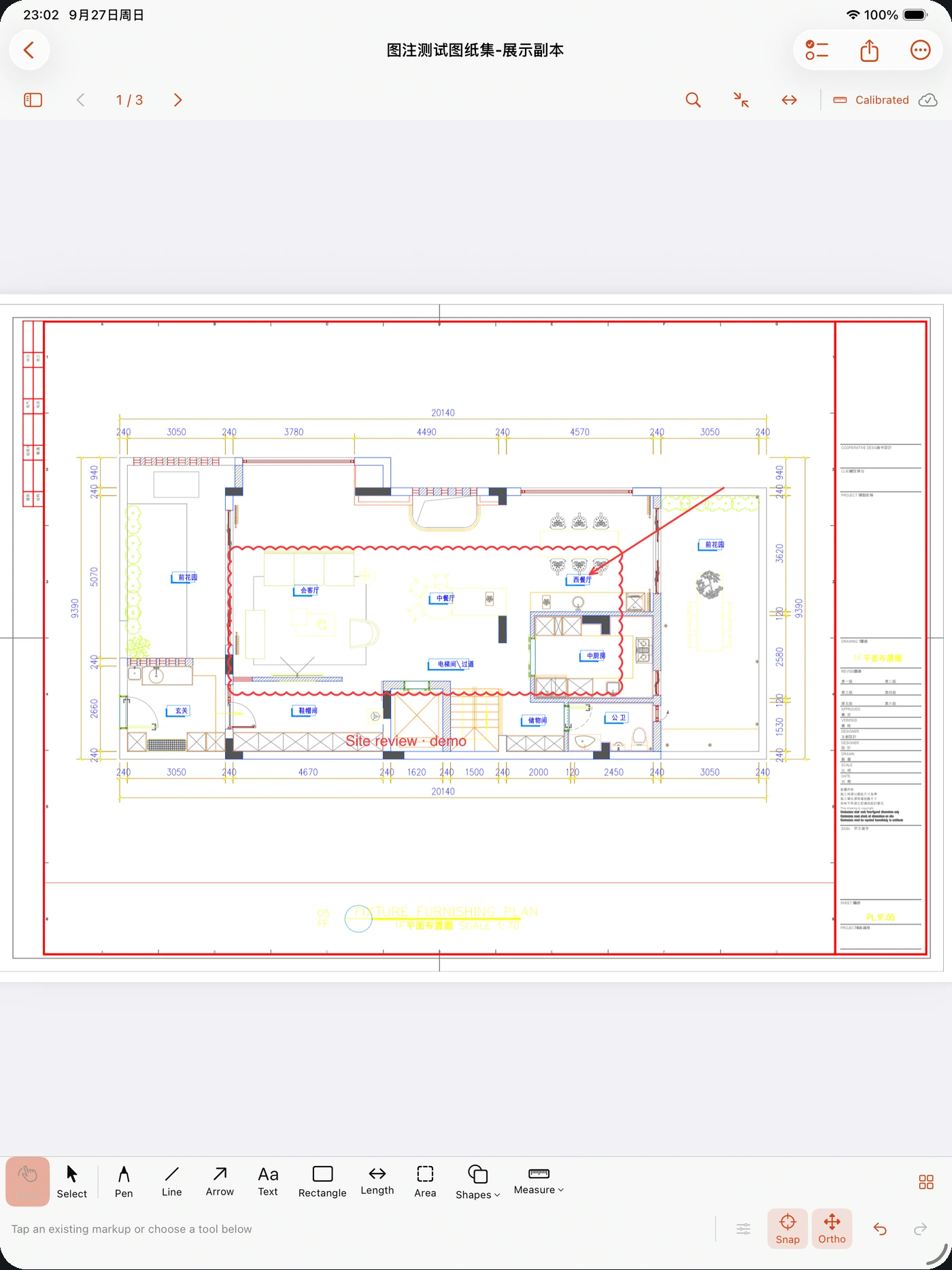
Snap to the drawing
Use usable vector endpoints, intersections and lines in native PDFs. Toggle orthogonal guides separately; scanned images have no vector snap targets.
Drawings, dimensions and site issues on iPhone and iPad. Bring the details to a compatible big screen.
iPhone & iPad · iOS 18+
Version 1.2 · Available on the App Store
Bring in PDFs, images or .tdm packages from Files or over Wi-Fi. Keep your originals.
Add dimensions, comments, and site photos.
Export marked-up PDFs and reports, or present your drawing on a bigger screen.
Built around the drawing
From the first review to the final handover, keep the conversation connected to the drawing.
Add pen strokes, clouds, arrows, text and callouts. Reuse each tool’s saved style and adjust a markup beside the canvas.
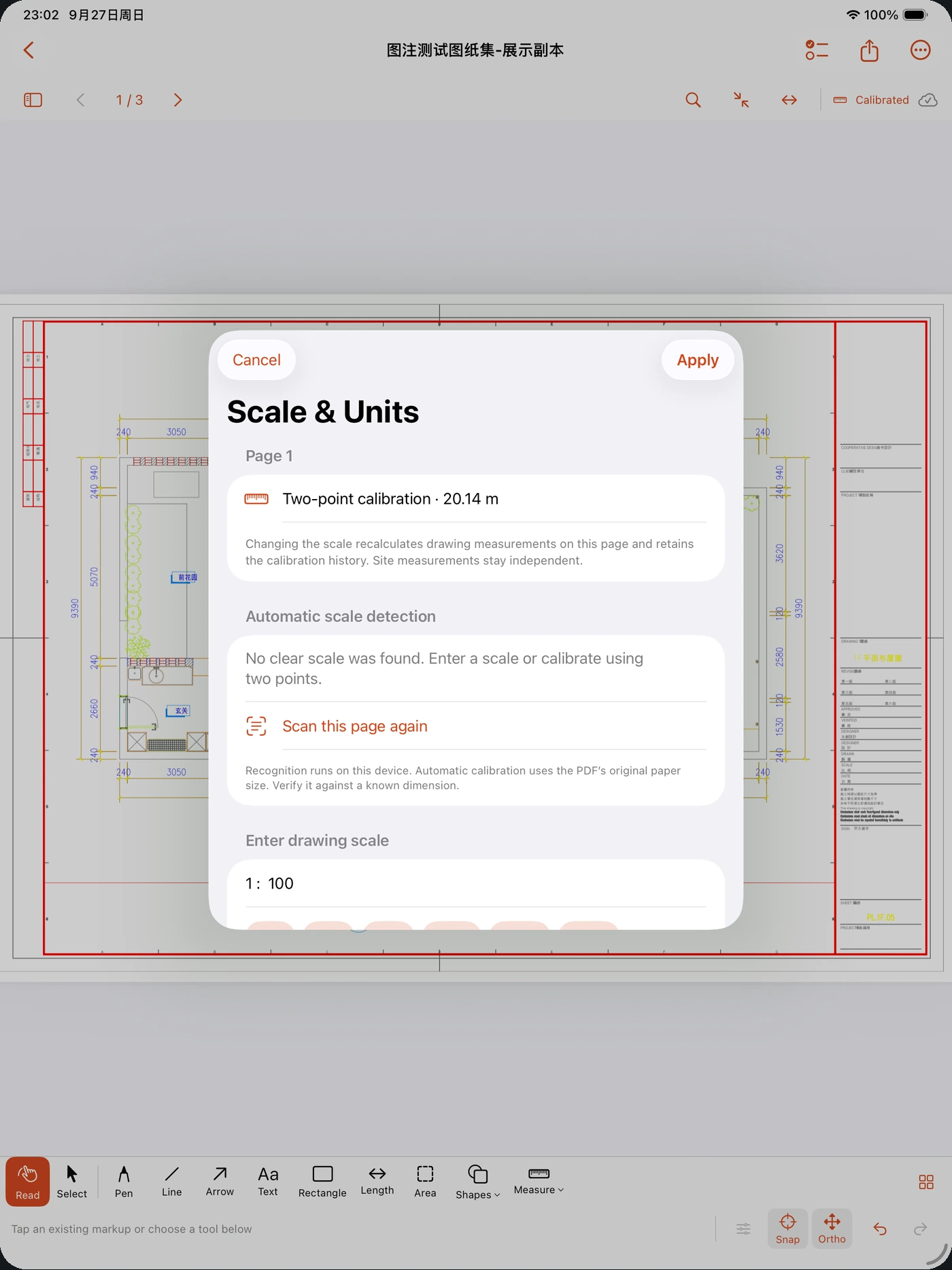
Set a page scale or calibrate a known length. Measure distances, polylines and areas in metric or imperial units, keeping site values separate.
Review detected scales on scans, images and mixed-scale sheets. Confirm important dimensions on site.
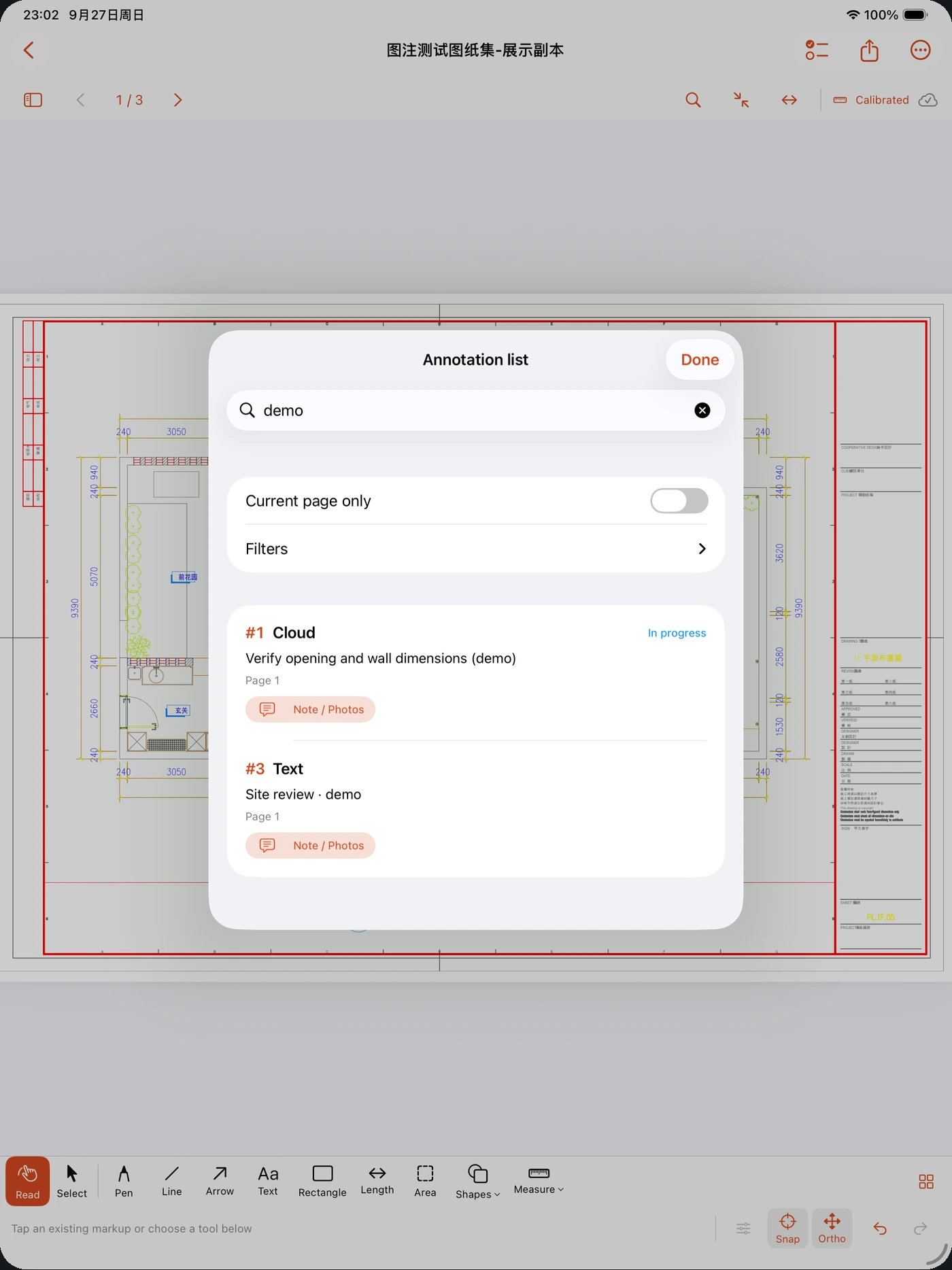
Connect each site photo to its markup. Keep issue numbers, authors, statuses and change history alongside the drawing.
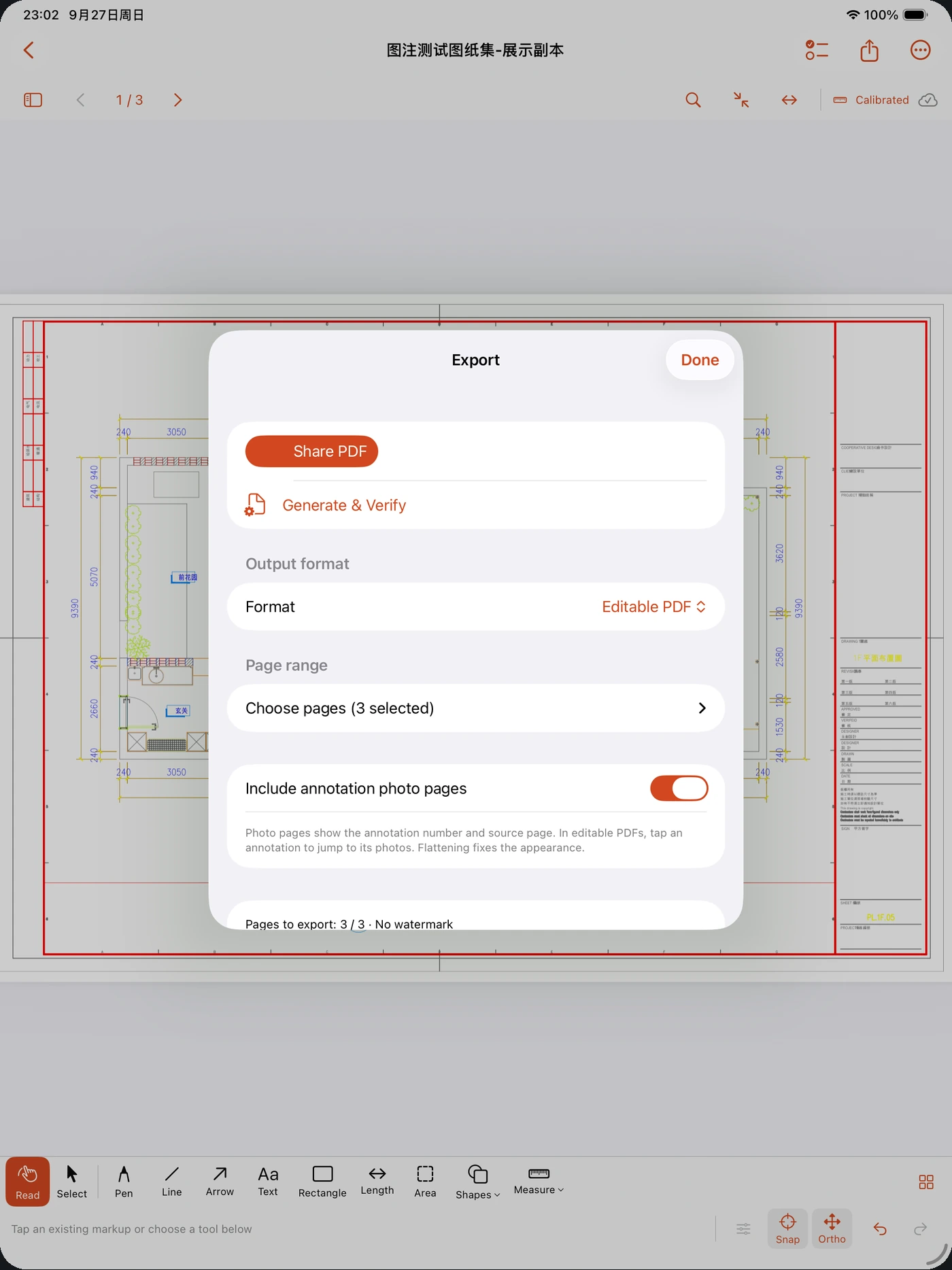
Export editable or flattened PDFs, PNG and CSV. Send a .tdm package when the recipient needs to continue editing with photos and calibration intact.
PDF support varies between apps. Imported .tdm packages are independent copies and do not sync automatically.
Use usable vector endpoints, intersections and lines in native PDFs. Toggle orthogonal guides separately; scanned images have no vector snap targets.
On compatible iPads, draw, select, adjust endpoints and erase whole annotations with Apple Pencil. Double-tap and squeeze follow supported system preferences.
Explore a vector floor plan with six editable marks. Viewing it does not start a trial; editing follows the usual access rules. Delete it whenever you like.
New in 1.2 · Available now
Present saved drawings on a compatible AirPlay or external display. Keep controls on your iPhone or iPad, and make the discussion easier to follow.
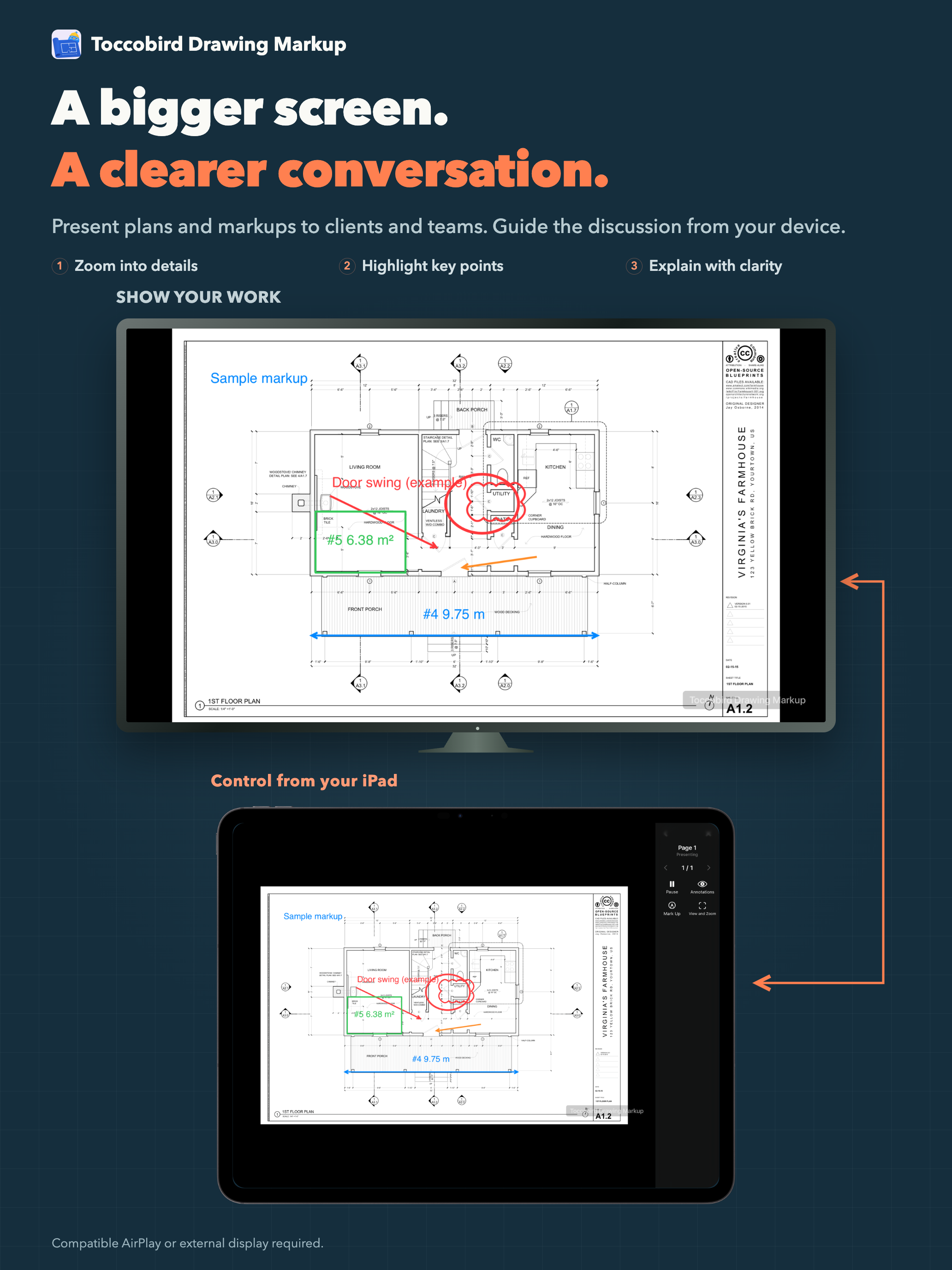
Zoom, pan and turn pages from the presentation canvas. Prepare while paused, tap Play when ready and Pause to show the waiting screen.
Draw temporary marks or toggle annotations to focus attention. Your saved drawing stays unchanged; reopen the presentation to load later saved edits.
Receive up to 20 readable, unlocked PDFs through system sharing. Preserve drafts during resizing and follow or stop import and export preparation.
Next release · Development preview
The 1.3 development line explores browser editing, custom layers and report templates. These locally implemented improvements are not in the released 1.2 app; timing and Web purchase terms are not final.
Edit the device’s drawings on a PC or Mac over the same local network. Work with markup tools, measurements, notes and linked photos, then save back to the phone.
Organize annotations in custom layers while preserving per-mark visibility and locks. Keep layer structure through editable PDFs and complete .tdm exchange.
Give each mark a clear detail view, including marks without photos. Adjust number sizes and personal report layouts, with a Web canvas and actual PDF preview.
No app account. Review imported drawings offline. Keep originals, export your work, and back up your drawing library.
Store exported backups securely; backup files are not separately encrypted.
How your data is handled
No. Markup, scaled measurement, and manual site records work without LiDAR. LiDAR capture is an additional option on compatible devices. The app requires iOS or iPadOS 18 or later.
Yes. Export basic editable annotations or a flattened PDF for a fixed appearance. For complete annotations, linked photos and calibration, share a .tdm package with another Toccobird Drawing Markup user. It opens as an independently editable copy. Older .toccobirdbackup files remain supported; proprietary third-party workflows are not guaranteed to transfer.
Actively claim the free 7-day trial for 168 consecutive hours, then choose a one-time Full Unlock if needed. There is no subscription or automatic charge at trial expiry. Existing work remains available to view, search, export, back up and restore. The App Store shows the current price for your region.
It looks for scale labels in PDF text and with on-device recognition. A single, clear scale in a native PDF can be applied automatically. Scans, images and pages with more than one scale need your confirmation. Always verify against a known dimension.
Version 1.2 supports English, Simplified Chinese, Traditional Chinese, French, German, Korean and Japanese. Your drawing titles, notes and photo captions stay in their original language. The website offers the same seven languages. The default entry follows your browser and remembers a manual choice, with English as the fallback.
The current app imports PDF, JPEG, PNG and .tdm files. Native DWG support has moved to the 1.4 plan as a separate paid option, with scope, price and timing unconfirmed. Custom layers, reports and the Web editor are in the next-release development preview, outside the current 1.2 download.
Version 1.2 · Available on the App Store
Download on the App StoreMade for iPhone & iPad